
Co-op and multiplayer
Steam tags World of Anterra as single-player and multi-player, with online co-op, shared and split screen co-op, cross-platform multiplayer and Remote Play Together. The store page does not state a player number.
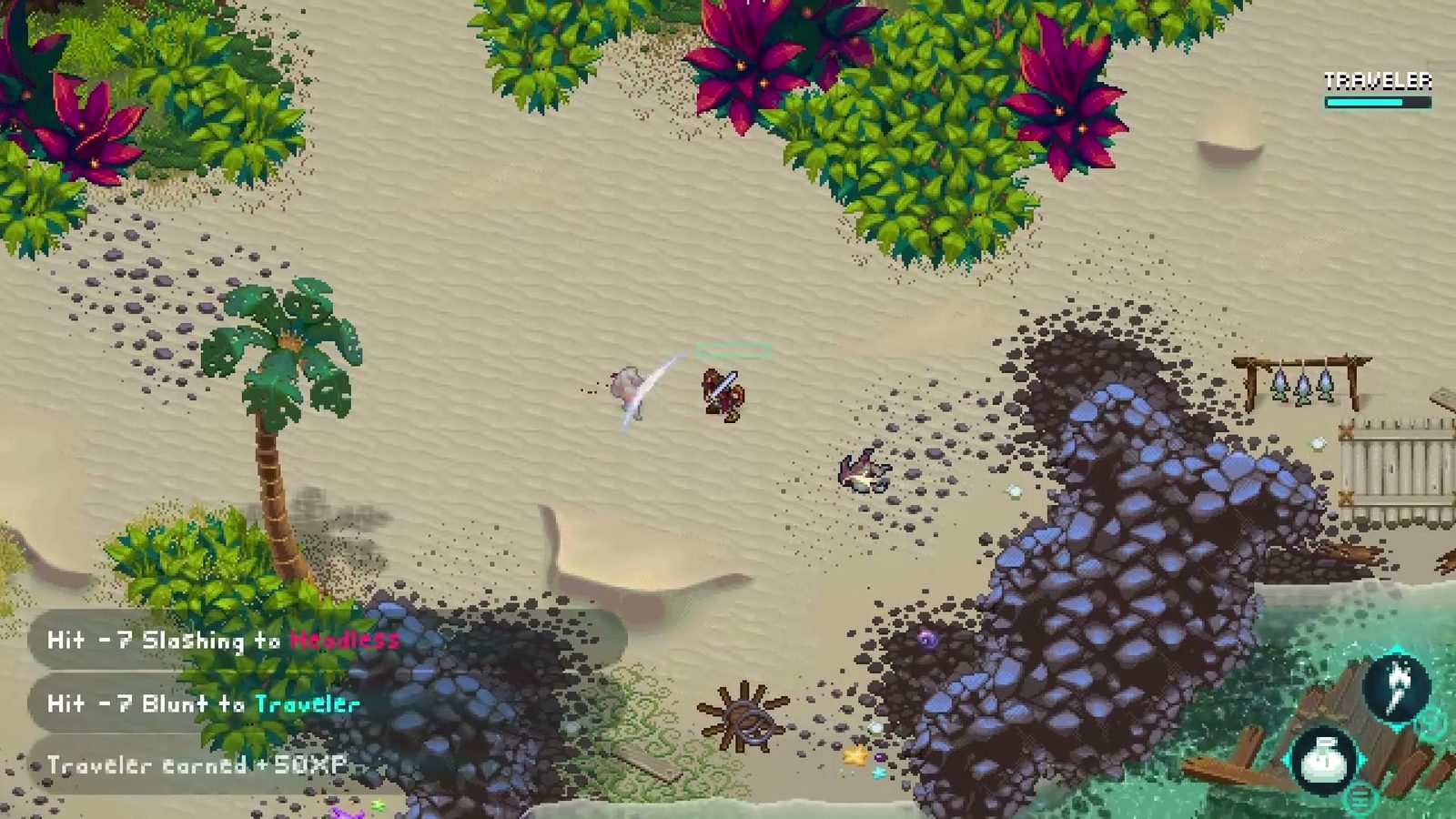 Official Steam screenshot
World of Anterra is built as a single-player RPG that other people can join. Steam tags it single-player and multi-player, adds online co-op, shared and split screen co-op, cross-platform multiplayer and Remote Play Together, and the official site sells it as a Desktop & Console game rather than a live-service one.
The studio's own FAQ says the same thing in design terms: multiplayer was built "to work in conjunction with our core single player gameplay systems", because "multiplayer in WoA needs to stand on the shoulders of a great single player experience".
What the store page does not do is state a player count. There is no "1-4 players" line anywhere in the listing, and no co-op details page. So the honest answer to "how many players" is that the tags promise online and split-screen co-op, and the number itself is not published.
Every multiplayer tag, read literally
Steam categories are set by the developer, and each one has a specific meaning. Here is the full multiplayer set from the store page, translated into what it implies for a session.
| Steam tag | What it means for you |
|---|---|
| Single-player | The whole game is playable alone; co-op is an addition, not a requirement |
| Multi-player | More than one player can be in the game at once |
| Co-op | Players work together rather than against each other |
| Online Co-op | Co-op over the internet, not only on one machine |
| Shared/Split Screen Co-op | Two or more players on one screen, split or shared camera |
| Shared/Split Screen | The screen-sharing category without the co-op qualifier |
| Cross-Platform Multiplayer | Players on different platforms can play together |
| Remote Play Together | Steam's invite-a-friend streaming mode for local co-op games |
| Family Sharing | The game can be shared inside a Steam family library |
| Steam Cloud | Saves follow the account between machines |
Two of those rows are more interesting than they look. Cross-Platform Multiplayer is the tag that makes "Desktop & Console" concrete: the studio has flagged that players on different platforms can meet, which is a design commitment rather than a marketing phrase. Remote Play Together means the local co-op modes can be streamed to a friend who does not own the game, which is how many split-screen titles get played online in practice.
What a session probably looks like
Given the tags and the game's design, three shapes of play are supported:
- Solo. The default. One Traveller, one party, the full non-linear story. Everything documented on this site applies.
- Local co-op. Shared or split screen on one machine, with a second controller. Full controller support and DualSense support are both listed, which is the hardware side of that mode.
- Online co-op. Either native online co-op or local co-op streamed through Remote Play Together, with cross-platform play tagged for mixed groups.
What is not documented is how the party is divided in co-op: whether each player controls one party member in combat, whether the second player shares the Traveller's inventory, or whether progress is shared. Those are exactly the questions the studio has not answered in public, and they are worth asking in the Discord before you plan a four-person run.
Co-op and the systems on this site
The co-op tags change how several other systems read.
- Combat is built on a grid with quick-time actions. Grid combat with two players usually means each player owns a subset of the party, which is where the split-screen tag becomes mechanically interesting.
- Party and gear becomes a negotiation in co-op: who wears the gear you found, and who gets the palette-swapped armour.
- Dialogue and quests is the awkward one. A game where you type your own questions is hard to share between two players at once, and the studio has not explained how that works in co-op.
If you are buying specifically for co-op, wishlist the Steam page and watch the announcement feed: the studio posts feature explainers regularly, and a co-op explainer would be the natural next one.
What "cross-platform" does not promise
Cross-platform multiplayer is a tag, not a schedule. It does not tell you which consoles, and it does not tell you whether cross-platform saves or cross-progression exist. Steam Cloud covers saves between Steam machines; nothing in the listing promises that a console save follows you to PC.
The same caution applies to the console side of the release. The official site's "Desktop & Console" wording is the only console statement the studio has made, and the release date and platforms guide treats it as exactly that.
Rest, camping and the shared clock
The single-player loop leans on time: NPCs keep schedules, taverns are for resting, and camps let you sleep through the night. All three of those systems assume a shared clock, which is the part of co-op design that is hardest to get right and the part the studio has said least about.
Two possibilities exist and the tags do not distinguish between them. Either the session shares one world clock, in which case both players sleep at the same camp and the NPC schedules stay in sync, or each player keeps their own, which would make a shared tavern rest awkward. Nothing in the store listing or the announcements answers this.
If you are the kind of group that plans a co-op run in advance, put that question to the Discord before launch. It is a five-second question with a large effect on how a two-player campaign feels.
Practical preparation
If you plan to play with someone else on day one, the useful preparations are boring ones:
- Put the game on both wishlists, not just yours; a release-day mail is the only notification Valve sends.
- Check controller hardware now. Full controller support and DualShock/DualSense support are listed, and split screen needs two working pads.
- Agree on a host. Remote Play Together streams from the owner's machine, so the person with the better upload speed should host.
- Read the PC requirements for both machines. The recommended spec is modest, which makes two-machine co-op realistic on ordinary hardware.
Next
- Release date and platforms — the 2026 window and what Desktop & Console covers.
- Combat system — how grid fights work when two people share the party.
- Party and gear — the equipment decisions co-op turns into arguments.
Until the studio says otherwise, plan for two-player split screen and two-controller online sessions, and treat larger groups as a bonus rather than the baseline.